Now available on Web & Mobile

Smart Attendance for Modern Teams

Streamline clock-in/out, enforce location-based attendance, manage tasks, and keep your team connected with real-time notifications.

JK
ML
AS
RD
TN
2,400+ teams already using Karmel Time
dashboard.karmel.app
Present Today
847
12%
Late Arrivals
23
5%
Avg Hours
8.2
3%
Weekly Overview
Employee Clock In Status
Sarah Johnson 08:55 AM Online
Mike Chen 09:02 AM Online
Emma Wilson 09:15 AM Away
James Brown --:-- Absent

Three New Ways to Clock In

Beyond GPS and IP verification, employees can now register attendance by tapping an NFC tag, scanning their phone at a dedicated reader device, or using a pass stored in Google Wallet and Apple Wallet.

NFC Tag

Tap a Tag with the Employee's Phone

Place an NFC tag at the entrance and let employees clock in by holding their own phone near it. No extra hardware, no queues at a shared terminal.

  • Works directly from the Karmel Time mobile app
  • Each tag is bound to a specific site or gate
  • Combines with GPS to prevent tag misuse
Reader Device

Scan Your Phone at a Reader Device

Place a dedicated reader at entrances and checkpoints. Employees clock in by scanning their phone at the device — no physical cards, just the Karmel Time app on their own phone.

  • Employees check in with their own phone
  • Readers are registered and locked to your company
  • Ideal for high-traffic entrances and shared checkpoints
Wallet Pass

Clock In with Google Wallet & Apple Wallet

Issue every employee a digital pass they can add to Google Wallet or Apple Wallet, then check in with a single tap, even without opening the app.

  • One pass per employee, revocable at any time
  • Works on both iOS and Android
  • Pass details update automatically when data changes
Google Wallet Apple Wallet
2.4K+
Active Companies
180K+
Employees Tracked
99.9%
Uptime SLA
4.9/5
User Rating

Everything You Need to Manage Attendance

A complete toolkit for modern workforce attendance and productivity management.

Clock In/Out

Quick one-tap attendance from any device.

GPS Geofencing

Restrict clock-in to a specific radius around your office or work site.

Push Notifications

Managers can instantly broadcast messages and alerts to the entire team.

Task Management

A minimal yet powerful task system to assign and track work items.

GPS Geofencing for Verified Attendance

Ensure employees can only clock in when they are physically at the authorized work location.

  • Set a custom radius around any location on the map
  • Employees can only clock in within the permitted zone
  • Real-time location verification at clock-in moment
  • Multiple geofence zones per organization
  • Detailed location audit log for compliance
Learn More
SK
JD
AM
RW
Geofence Active - 200m Radius 3 employees within range, 1 outside

IP Address Whitelisting for Extra Security

Add an extra layer of security by restricting attendance to approved office networks.

  • Whitelist specific office IP addresses
  • Block attendance from unauthorized networks
  • Combine with GPS for dual-layer verification
  • Manage IP ranges for multi-branch offices
  • Real-time IP monitoring and alerts
Learn More
IP Access Control
Whitelisted Addresses
192.168.1.0/24
10.0.0.1/16
172.16.0.0/12
Recent Blocked Attempts
45.33.128.99
203.0.113.42

Instant Push Notifications for Your Team

Keep everyone informed with real-time alerts delivered directly to web and mobile apps.

  • Send instant alerts to all employees or specific groups
  • Schedule notifications for future delivery
  • Track delivery and read receipts in real time
  • Custom notification templates for common messages
  • Urgent priority overrides for critical announcements
Learn More
Notification Center
Company All-Hands Meeting
Lorem ipsum dolor sit amet, consectetur adipiscing elit. Join us in the main conference room at 3 PM today.
2 min ago - From: Sarah M. (Manager)
Schedule Change - Urgent
Lorem ipsum dolor sit amet. Tomorrow's shift has been updated. Please check your updated schedule.
15 min ago - From: HR Department
Attendance Confirmed
Lorem ipsum dolor sit amet. Your clock-in for today has been verified and recorded successfully.
1 hour ago - System
Team Achievement Unlocked
Lorem ipsum dolor sit amet. The development team hit 98% attendance this month!
3 hours ago - From: Mike D. (Director)

Minimal Task System, Maximum Productivity

Assign, track, and complete work items without leaving your attendance platform.

  • Create and assign tasks to team members quickly
  • Kanban board for visual task organization
  • Priority levels and due date tracking
  • Link tasks to attendance and shift data
  • Lightweight and distraction-free interface
Learn More
Task Board
To Do 3
Update employee onboarding docs
High Feb 14 JK
Review Q1 attendance reports
Medium Feb 16 ML
Set up geofence for new branch
Low Feb 20 AS
In Progress 2
Configure IP whitelist for HQ
High Feb 13 RD
Draft notification templates
Medium Feb 15 TN
Done 2
Deploy mobile app v2.1
Low Feb 10 JK
Setup push notification service
Medium Feb 8 ML
Karmel Time App - Attendance System

Your Office in Your Pocket

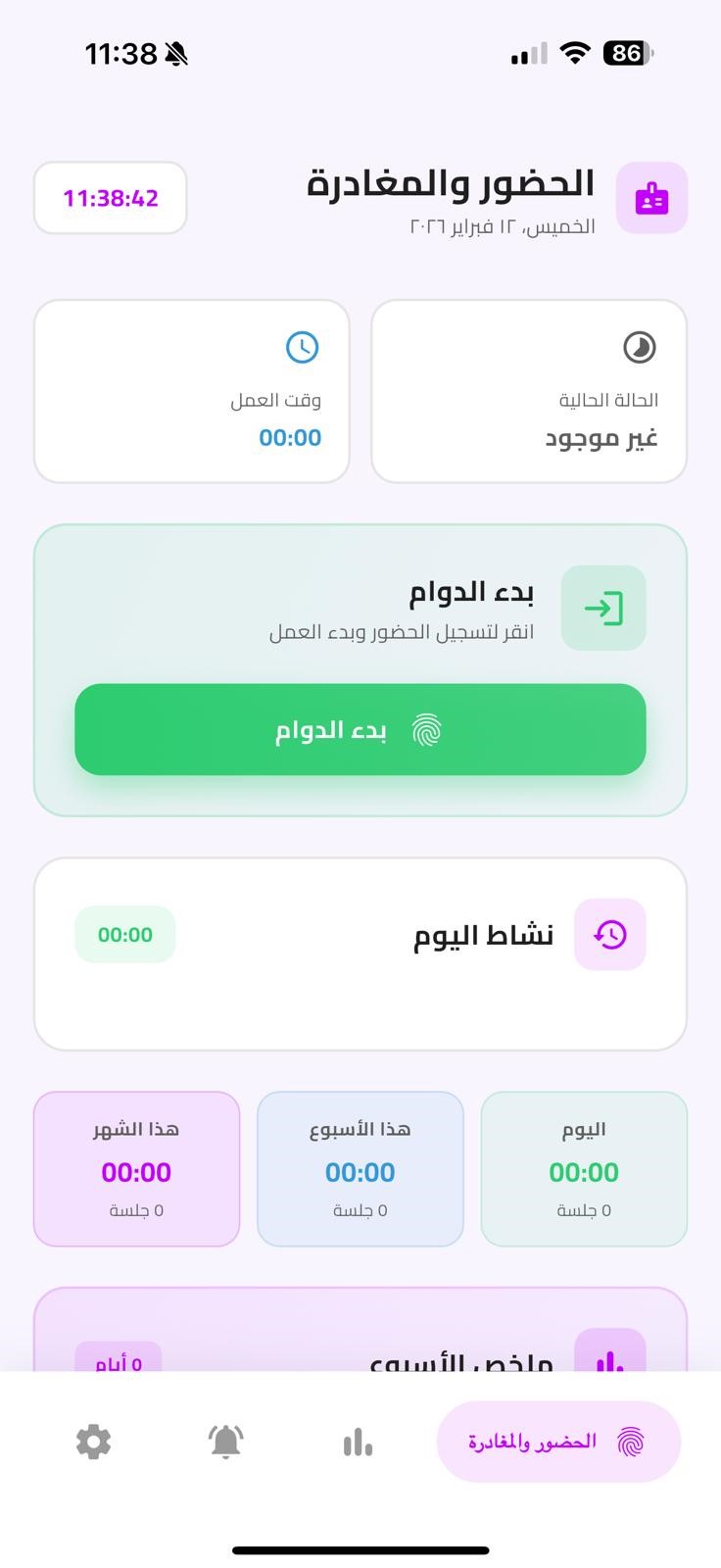
Give your team a powerful mobile app for attendance, notifications, and tasks on the go.

Biometric Login

Face ID & Touch ID

Offline Mode

Works without internet

Encrypted Data

End-to-end security

Cross Platform

iOS & Android

Get Started in Three Simple Steps

Setting up Karmel Time takes less than five minutes.

1

Create Your Account

Sign up and configure your organization settings in minutes.

2

Invite Your Team

Add employees, set up geofences, and configure IP restrictions.

3

Start Tracking

Your team can clock in/out immediately from web or mobile.

Trusted by Teams Worldwide

See what our customers have to say about their experience.

"The GPS geofencing feature completely eliminated buddy punching at our sites."

JR
James Richardson
COO, TechForward Inc.

"The push notification system is incredible for keeping our remote team aligned. We reduced missed shifts by 90%."

AP
Amanda Park
HR Director, Logistix Co.

"The IP restriction combined with GPS gives us enterprise-grade security. Simple to set up and extremely reliable."

DK
David Kim
CTO, SecureOps Ltd.

Simple, Transparent Pricing

No hidden fees. Start free and scale as your team grows.

Starter
$0
Free forever, up to 10 users
  • Clock in/out (Web & Mobile)
  • Basic attendance reports
  • 1 geofence zone
  • Email notifications
  • Basic task management
Get Started Free
Enterprise
Custom
Tailored for large organizations
  • Everything in Professional
  • SSO & SAML integration
  • Custom API access
  • Dedicated account manager
  • SLA guarantee
  • On-premise deployment
Contact Sales

Frequently Asked Questions

Find answers to common questions about Karmel Time.

When an employee attempts to clock in, the app verifies their GPS location against the configured geofence radius. Only users within the permitted zone can successfully register their attendance.

Absolutely! You can enable dual-layer verification that requires both GPS location and IP address matching. This provides the highest level of attendance verification security for your organization.

Managers can send instant push notifications to all employees, specific departments, or individual team members. Messages are delivered in real time to both web and mobile apps, with delivery tracking and read receipts.

Yes! Our Starter plan is completely free for up to 10 users. For the Professional plan, we offer a 14-day free trial with full access to all features, no credit card required.

Yes, the mobile app supports offline mode. Employees can clock in/out even without an internet connection, and the data syncs automatically when connectivity is restored.